

Before you start
- An Olostep account with an API key: get one free, no credit card required. Your first 500 credits are included.
- A ViaSocket account: create one at viasocket.com.
- An AI client: Claude, Cursor, ChatGPT, Windsurf, VS Code, or any MCP-compatible client.
Setup
1
Create a new Cluster
Open ViaSocket Mushrooms and click + New Cluster. ViaSocket will prompt you to choose the AI client this Cluster will connect to — select Claude, Cursor, ChatGPT, or whichever client you use.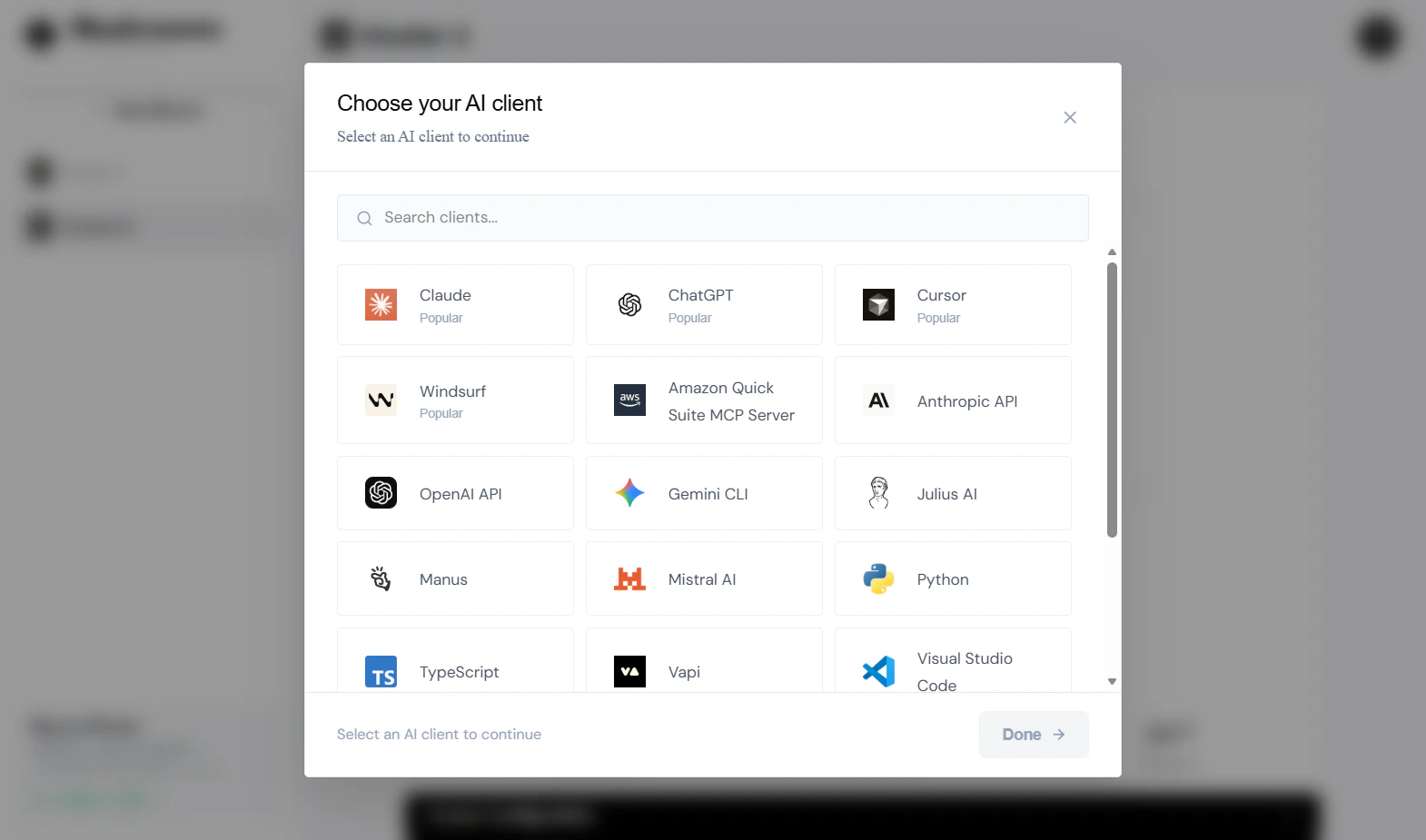
2
Browse integrations
Inside your Cluster, click + BROWSE INTEGRATIONS to open the Mushrooms library — a catalog of 2,500+ apps you can give your AI access to.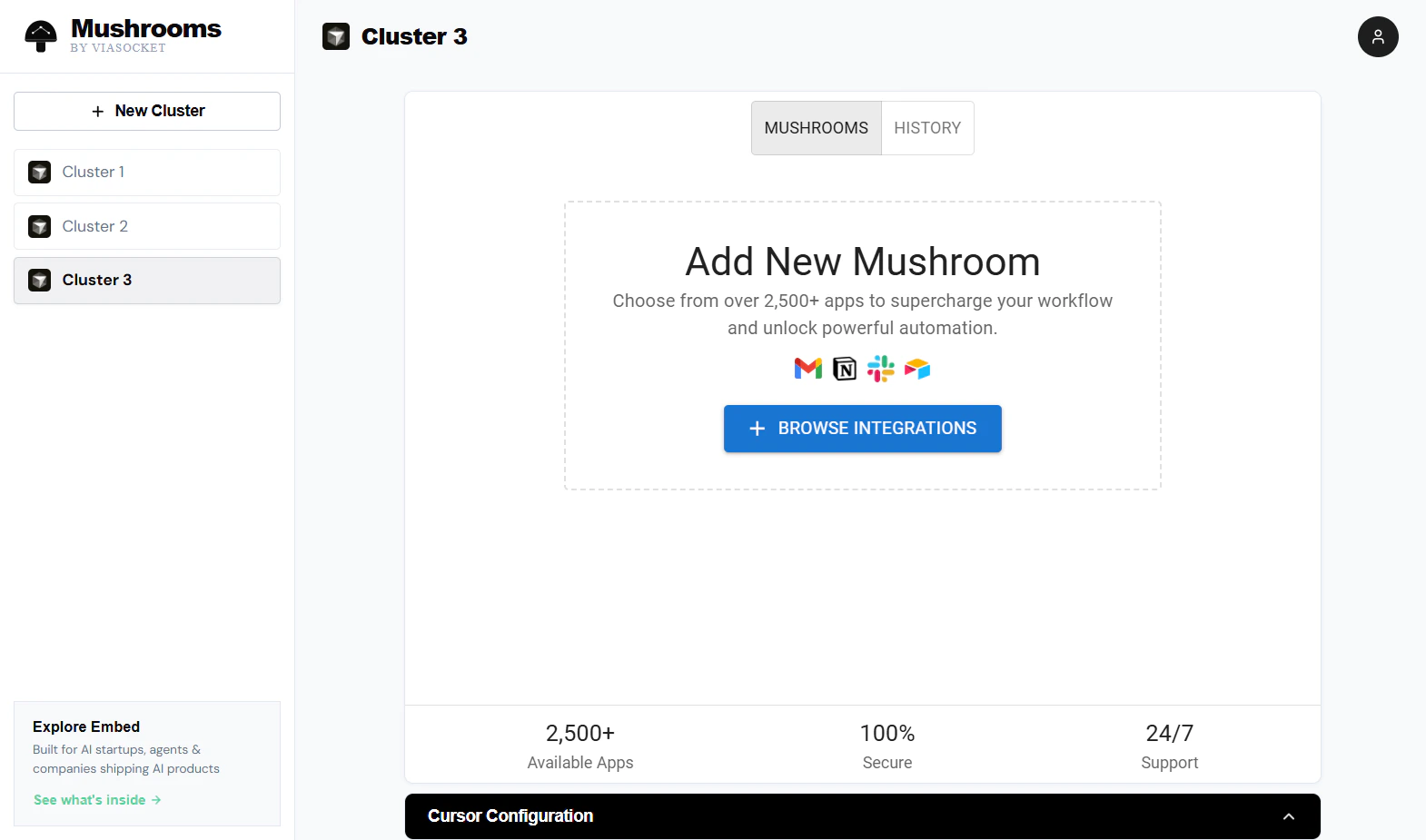
3
Find Olostep
Search for olostep in the search bar. Select Olostep from the results.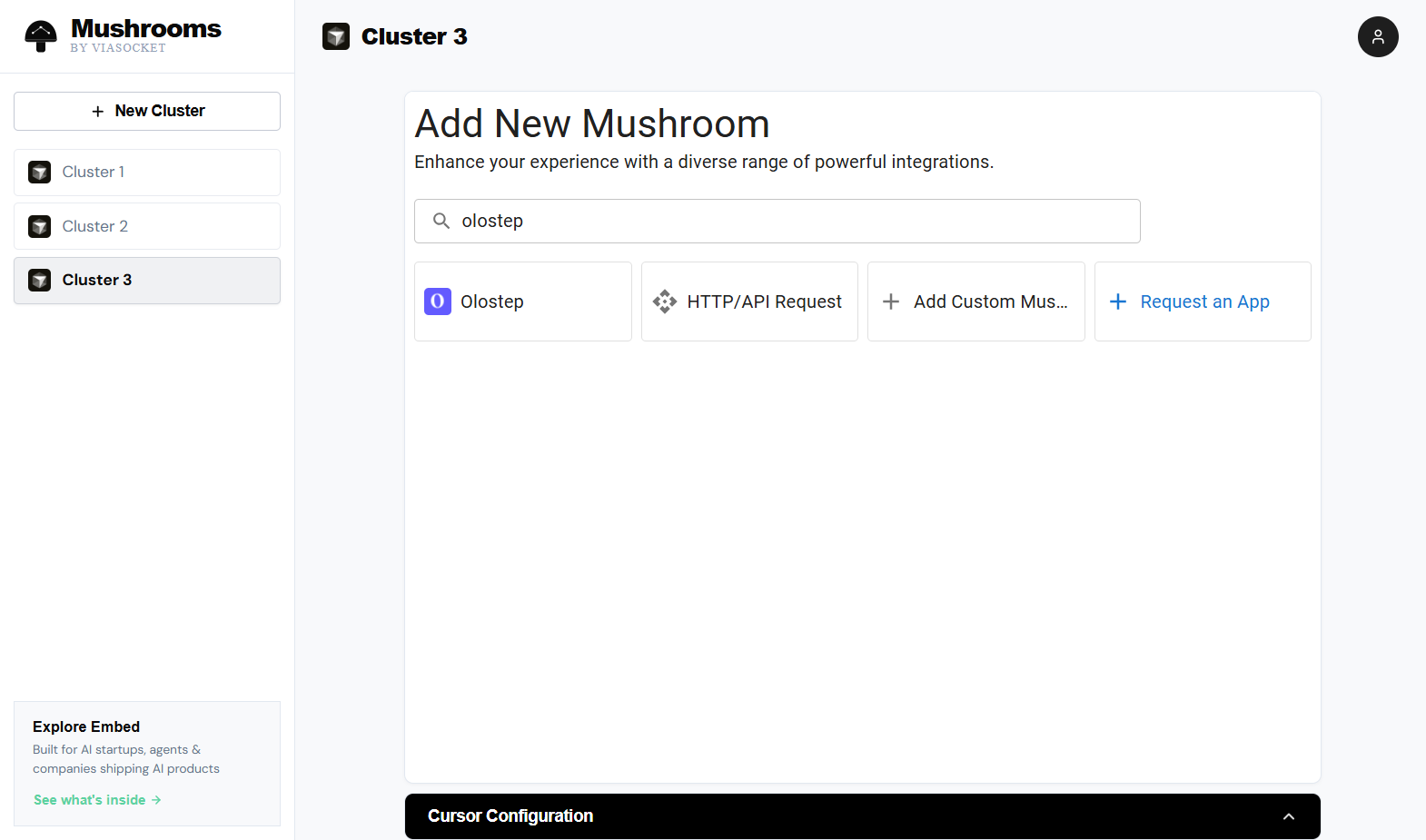
4
Connect to Olostep
On the Olostep detail page, click CONNECT TO OLOSTEP to authorize your account and start adding Olostep actions to your Cluster.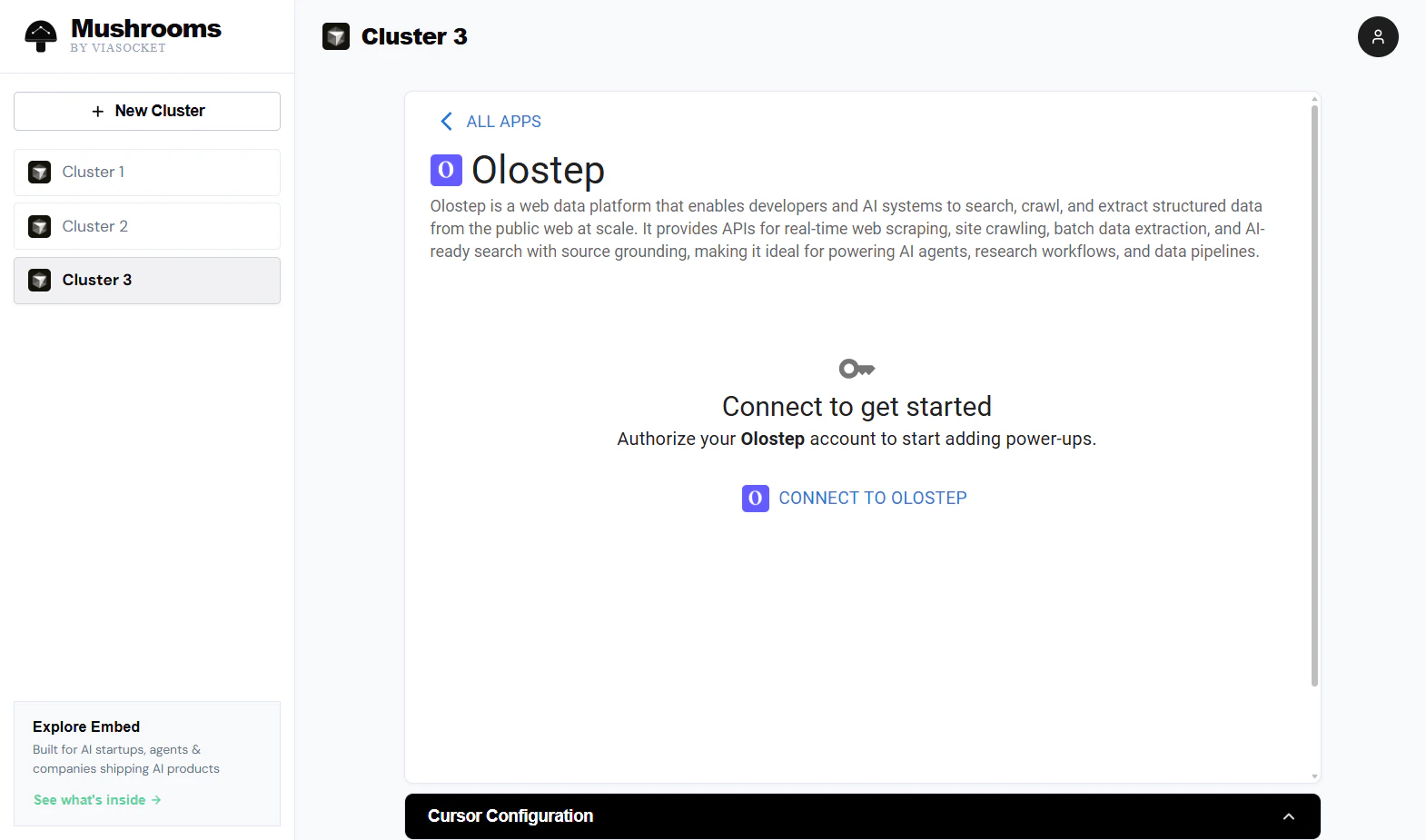
5
Select actions
Choose which Olostep actions your AI client can use. All seven are enabled by default — toggle off any you don’t need, then click NEXT.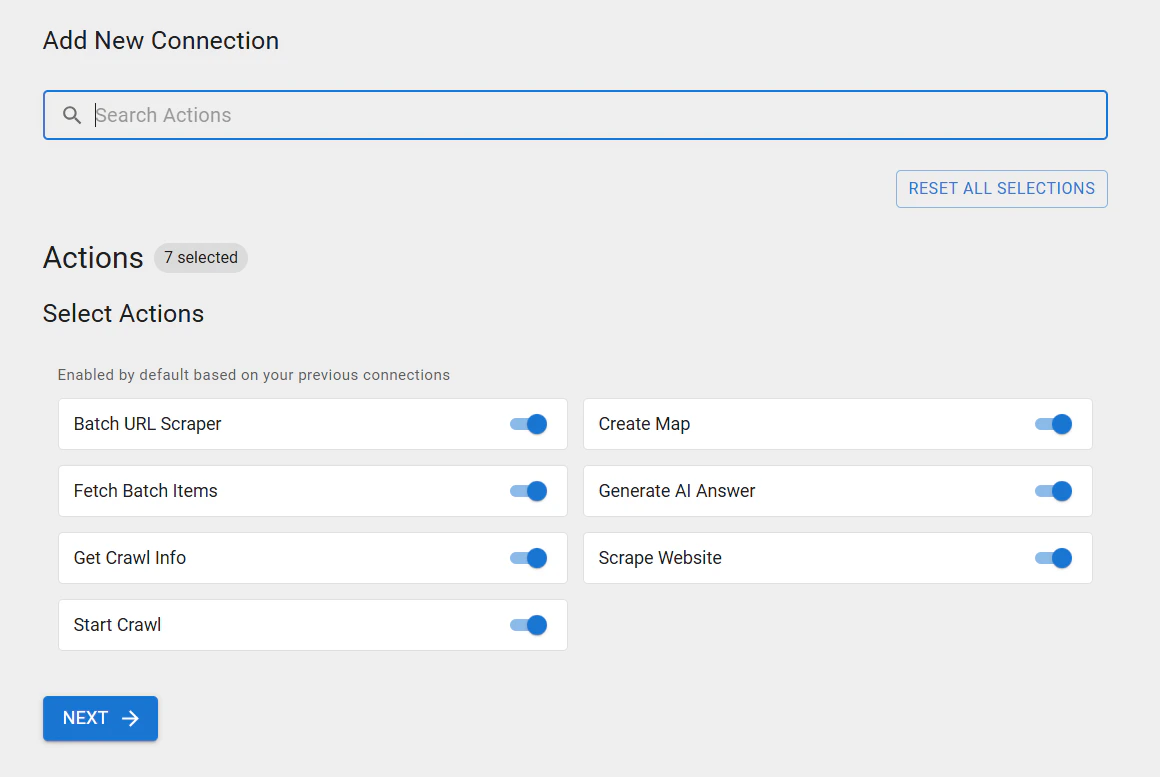
6
Enter your Olostep API key
Paste your Olostep API key into the API Key field and click ADD CONNECTION. ViaSocket will verify the key and save the credential.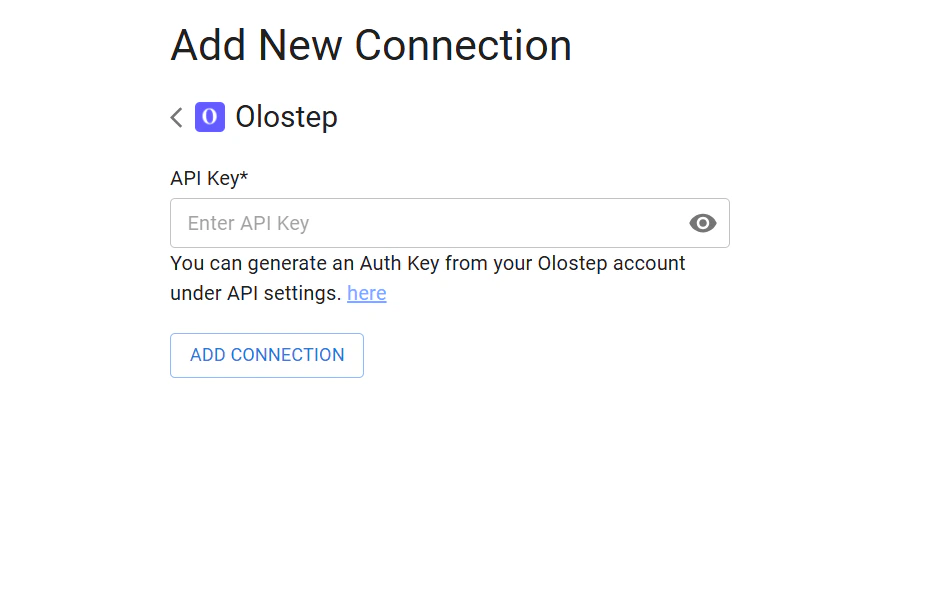
7
Copy your MCP endpoint and connect your AI client
Olostep now appears as an enabled Mushroom in your Cluster. Copy the MCP Endpoint URL (or the full JSON config block) from the Cursor Configuration panel and paste it into your AI client’s MCP settings file.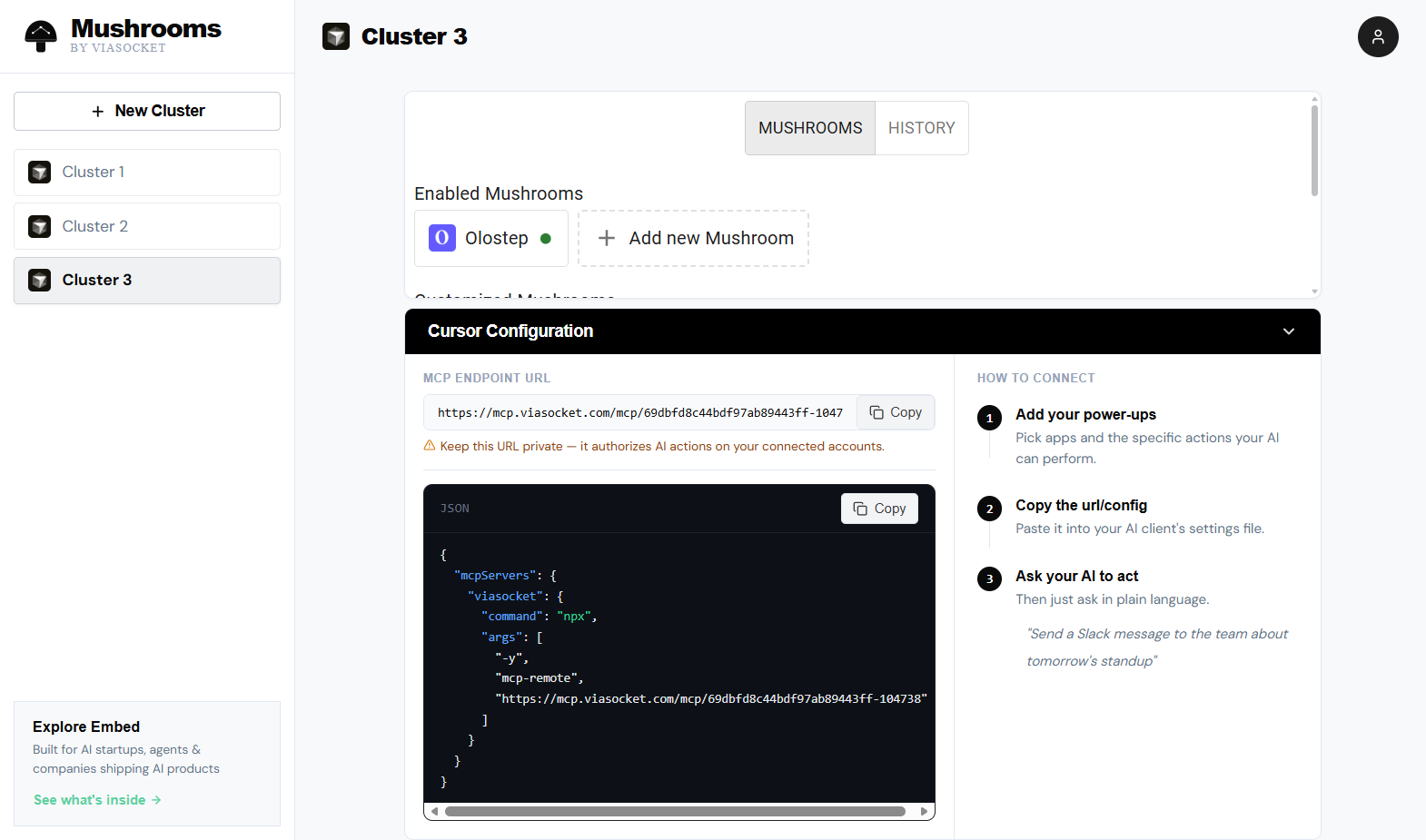
Actions
Scrape Website
Pull content from any URL as Markdown, HTML, JSON, or plain text. Handles JS-rendered pages with optional wait times and country targeting.
Generate AI Answer
Ask a natural-language question and get a cited answer grounded in pages you provide or a live web search.
Batch URL Scraper
Submit up to 100,000 URLs in one job, processed in parallel. Returns a
batch_id for async retrieval.Fetch Batch Items
Retrieve the results of a completed batch job using its
batch_id.Start Crawl
Start from a seed URL, follow links, and scrape all subpages. Returns a
crawl_id.Get Crawl Info
Check the status and retrieve results for a running or completed crawl by
crawl_id.Create Map
Get every URL on a site without scraping content. Useful for discovery before a batch job.
Example: Ask Claude to research a competitor
Once your MCP endpoint is configured in Claude, you can issue plain-language instructions like:“Scrape the pricing page at acme.com/pricing and give me a summary of their plans and prices.”Claude will call Olostep’s Scrape Website action through ViaSocket, return the page content, and summarize it — no workflow builder, no code. You can chain actions the same way:
“Map all the pages on docs.example.com, then batch-scrape the first 50 and build a knowledge base summary.”
Troubleshooting
API key rejected
API key rejected
Copy the key directly from olostep.com/dashboard with no trailing spaces. Delete and recreate the Olostep connection in ViaSocket if the error persists.
AI client can't see the Olostep tools
AI client can't see the Olostep tools
Make sure you’ve pasted the MCP endpoint URL (or JSON config block) into the correct settings file for your AI client. For Claude Desktop, this is
claude_desktop_config.json. For Cursor, it’s .cursor/mcp.json in your project or the global Cursor settings. Restart the client after saving.Scraped content is empty
Scraped content is empty
Increase the wait time when calling Scrape Website (try 2000–5000ms for JS-heavy pages). Confirm the URL is publicly accessible without a login.
MCP endpoint URL keeps changing
MCP endpoint URL keeps changing
The endpoint URL is tied to your Cluster. If you delete and recreate the Cluster, you’ll get a new URL and will need to update your AI client config. Keep the URL private — it authorizes all actions on your connected accounts.
Related
Scrapes API
Full reference for the scrape endpoint
Batches API
How batch jobs work and how to retrieve results
Crawls API
Crawl configuration and result retrieval
Maps API
URL discovery and filtering options
MCP Server
Use Olostep’s native MCP server directly
ViaSocket Website
ViaSocket platform